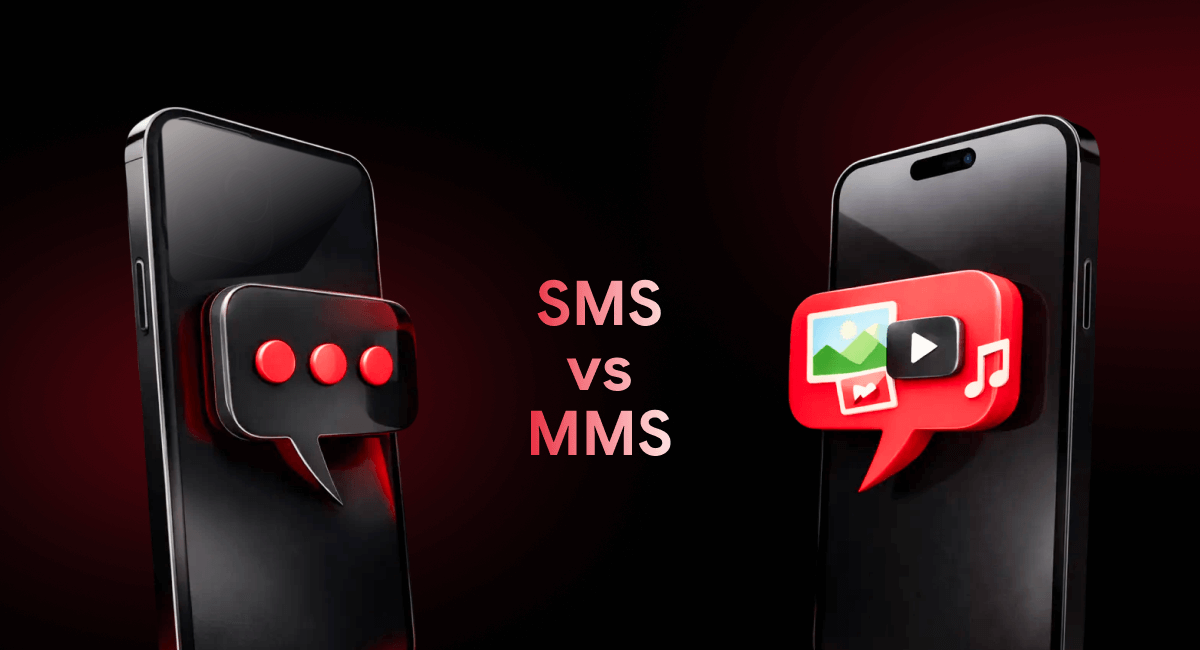
You’re here because you need to text your customers, but you’re not sure which option to pick. SMS vs MMS isn’t just tech jargon. It’s a real decision that affects your budget, engagement rates, and whether people actually read what you send.
As a business owner trying to reach customers, you’re probably wondering: should I send a text message or one with a picture? And does it actually matter?
Well, yes. It does.
SMS and MMS aren’t the same thing. They cost different amounts. They work differently. And if you pick the wrong one for the wrong situation, you’re either wasting money or missing out on engagement.
Let’s fix that with this guide.
Key Takeaways (TL;DR)
Here’s what you need to know right now:
SMS is plain text. Fast, cheap, works everywhere. Perfect for reminders, alerts, and quick updates.
MMS includes images, videos, and other media. Costs more but gets way more engagement. Great for promotions and anything visual.
When to use SMS: Appointment confirmations, delivery updates, verification codes, time-sensitive alerts.
When to use MMS:
- Product launches
- Event invites
- Visual promotions
- Branded campaigns
Cost difference: MMS usually costs 2–3x more than SMS per message.
Best move: Use both strategically. SMS for the essentials. MMS when you need to stand out.
What is SMS?
SMS stands for Short Message Service. It’s the original text message. Plain text only. No pictures, videos, or fancy formatting.
Each SMS message maxes out at 160 characters. If you go over, it splits into multiple messages (and you pay for each one). SMS works on every phone. Flip phones. Smartphones. Even burner phones. SMS gets delivered.
That’s why it has a 98% open rate. People check their texts.
Common SMS Business Use Cases
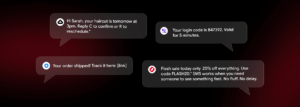
Appointment reminders: “Hi Sarah, your haircut is tomorrow at 3pm. Reply C to confirm or R to reschedule.”
OTPs and verification codes: “Your login code is 847392. Valid for 5 minutes.”
Alerts and notifications: “Your order shipped! Track it here: [link]”
Simple promotions: “Flash sale today only. 20% off everything. Use code FLASH20.”
SMS works when you need someone to see something fast. No fluff. No delay.
What is MMS?
MMS stands for Multimedia Messaging Service. It’s SMS’s cooler older sibling.
MMS lets you send images, GIFs, videos, audio files, and longer text (up to 1,600 characters). It’s what you use when a plain text message isn’t enough.
MMS gets opened just as often as SMS. But it gets clicked and engaged with way more. People respond to visuals. A photo of your new menu item beats a description every time.
Common MMS Business Use Cases
Promotional campaigns with images: Show the product. Don’t just describe it.
Product launches: Send a sneak peek video before the official drop.
Event invitations: Include a branded flyer or short promo clip.
Branded announcements: Share your new logo, storefront photo, or team update with a visual that reinforces your brand.
MMS is your go-to when you want someone to feel something, not just read something.
SMS vs MMS: Side-by-Side Comparison
Let’s break it down:
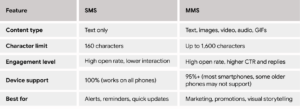
Both work. But they work differently. Pick based on what you’re trying to accomplish.
Pros and Cons of SMS vs MMS
Advantages of SMS
- Lower cost: SMS is cheap. You can send thousands of messages without breaking the bank.
- Faster delivery: No media to load. Just instant text.
- Works on all phones. Literally all of them.
- Ideal for time-sensitive messages. When speed matters, SMS wins.
Disadvantages of SMS
- Limited characters. You’ve got 160. That’s it. If you’re wordy, you’re in trouble.
- No visual content. Can’t show your product. Can’t include your logo. Just words.
- Less engaging for marketing. People skim. A plain text promo is easy to ignore.
Advantages of MMS
- Rich media support. Images, videos, GIFs. Whatever tells your story best.
- Higher click-through and engagement. Visuals grab attention. Plain text doesn’t.
- Better branding opportunities. You can include your logo, colors, and style in every message.
Disadvantages of MMS
- Higher cost than SMS. Expect to pay 2–3x more per message.
- Slightly lower reach in some regions. Older phones and certain carriers don’t always support MMS.
- Larger message size. Takes longer to send and receive, especially on slower networks.
Cost Differences Between SMS vs MMS
SMS typically costs between $0.01 and $0.05 per message, depending on your provider and volume. MMS usually runs $0.03 to $0.10 per message. Sometimes more if you’re sending video.
So yes, MMS costs more. But it also performs better when used correctly.
If you’re sending 1,000 appointment reminders, SMS makes sense. You’ll spend $10–$50 instead of $30–$100.
If you’re launching a new product and want people to actually look at it, MMS is worth the investment. A 5% bump in conversions pays for itself fast.
How to optimize your messaging spend:
Use SMS for transactional messages (confirmations, alerts, reminders). Use MMS for marketing and anything visual. Don’t send MMS to every contact just because you can. Send it when the visual adds real value.
When Should Businesses Use SMS vs MMS?
Use SMS When You Need
- Urgent communication. “Your delivery is 10 minutes away.”
- High deliverability. When everyone needs to get the message, no exceptions.
- Low-cost bulk messaging. Sending to thousands of people and want to keep costs down.
SMS is your reliable workhorse. It shows up. It doesn’t cost much.
Use MMS When You Want
- Visual storytelling. Show your new storefront. Share a before-and-after. Let people see what you’re talking about.
- Higher engagement. When you need clicks, not just opens.
- Stronger brand presence. MMS lets you stay top-of-mind with branded visuals that stick.
MMS is your attention-grabber. Use it when you’re competing for customer attention.
SMS vs MMS for Common Business Scenarios
Customer updates and notifications: Use SMS. “Your order shipped” doesn’t need a photo.
Marketing and promotions: Use MMS when you can. Show the sale item. Include a coupon image. Make it visual.
Event reminders: SMS works for simple reminders. MMS works better if you want to include a flyer or event photo.
Internal team communication: SMS is fine for quick check-ins. MMS works if you’re sharing schedules, floor plans, or shift photos.
Match the message type to the goal. Use MMS for whatever that requires a visual addition, and SMS for what doesn’t.
SMS & MMS Compliance Considerations
You can’t just start texting customers without permission. That’s illegal.
Consent and opt-in basics: Get explicit permission before sending marketing texts. A checkbox at checkout works. A keyword opt-in works. “Sign up for texts” during a conversation works. Just make it clear what they’re signing up for.
Opt-out requirements: Every marketing message needs an easy way to opt out. “Reply STOP to unsubscribe” is standard. Honor it immediately.
Why compliance matters: Violating TCPA (Telephone Consumer Protection Act) can cost you up to $1,500 per message. Per message. If you send 1,000 illegal texts, that’s up to $1.5 million in fines.
Play it safe. Get consent. Respect opt-outs. Keep records.
Send SMS & MMS Messages with Easify
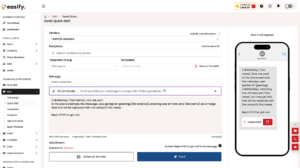
Easify gives you both SMS and MMS in one platform. And if they don’t suffice, email, ringless voicemail, and calling features are also available.
You can send appointment reminders via SMS and promotional campaigns via MMS without leaving the same dashboard. Here are a few other advantages of using Easify:
- Automation and scheduling: Set up your messages once. Easify sends them automatically. Reminders go out 24 hours before appointments. Follow-ups go out three days after a purchase. You don’t have to lift a finger after the initial set up.
- Bulk messaging support: Need to text 500 people about your weekend sale? Upload your list. Write your message. Hit send. Done.
- Easy campaign management & analytics: Track opens, clicks, and replies. See what’s working. This way, you can tweak what’s not.
Why Businesses Choose Easify
- Simple setup. If you can send a text from your phone, you can use Easify.
- Scalable messaging. Start with 100 contacts. Grow to 10,000. Easify grows with you.
- Built-in compliance. Most SMS platforms don’t offer compliance, but Easify has 10DLC compliance built-in.
- Built for growing teams. Multiple users. Shared inboxes. Everyone stays on the same page.
- Reliable delivery. Your messages actually get delivered. Fast.
Easify handles the hard stuff so you can focus on running your business.
Frequently Asked Questions About SMS vs MMS
What does SMS stand for?
SMS stands for Short Message Service. It’s the technical name for a standard text message.
What does MMS stand for?
MMS stands for Multimedia Messaging Service. It’s a text message that includes images, videos, or other media.
Does MMS cost more than SMS?
Yes. MMS typically costs 2–3x more per message than SMS because it includes media files.
Is SMS or MMS better for business marketing?
MMS usually performs better for marketing because visuals grab attention and drive engagement. But SMS works great for quick promotions and time-sensitive offers. Use both strategically.
Can I use both SMS and MMS together?
Absolutely. Most businesses use SMS for transactional messages and MMS for marketing campaigns. It’s the smartest way to balance cost and engagement.
Ready to Start Business Messaging with Easify?
When choosing between SMS and MMS, you need a platform that lets you use both the right way, at the right time, without making your life harder. Easify does that.
Stop losing customers because your follow-up game is weak. Instead, start using Easify today and see how much easier business texting can be.
Try Easify free for 7 days and send your first campaign this week!

Stay connected with Easify on Instagram, LinkedIn, Facebook, and YouTube for tips, updates, and real-world examples of business messaging done right.