You just lost $500. Not because your service wasn't good enough. But because someone forgot about their appointment and didn't show up.
And here's a fact: they probably would've shown up if they'd just gotten a simple text reminder.
Missed appointments cost businesses billions annually. Late loan payments create cash flow nightmares for lenders. Guess what? Most of these no-shows and late payments are preventable.
The solution isn't hiring someone to manually call or text every client. The solution is automation. Specifically, automated SMS reminders using platforms like Easify.
What Are Automated SMS Reminders?
Think of automated SMS reminders as your digital assistant who never sleeps.
Here's how they work: You upload your contact list. Set up your trigger events: like "appointment booked" or "payment due in 3 days" and set up your message templates.
When someone books an appointment or has a payment coming due, the automation fires off a perfectly timed text message without any extra effort.
The difference between manual and automated reminders is night and day. Manual reminders mean someone on your team has to remember to send messages, type them out individually, and keep track of who's been contacted. It's time-consuming and prone to human error.
Automated reminders just run. They integrate directly with your CRM, calendar app, etc. They pull in the relevant information (client name, appointment time, payment amount) and personalize each message automatically.
Easify excels at this. Instead of wrestling with complex workflows or hiring a developer, you can switch to Easify.
Why Businesses Use SMS Reminders
Email open rates hover around 20-30% if you're lucky. Phone calls? Good luck getting someone to answer. But SMS? Open rates consistently hit 95%+. And most people read texts within three minutes of receiving them.
Beyond the open rates, there's the cost factor. Having a staff member manually call 50 clients takes hours. An automated SMS system handles 500 clients in seconds, at a fraction of the cost.
SMS reminders work especially well for appointment-based businesses (medical offices, salons, consulting firms) and payment-based operations (lenders, subscription services, property managers). These are situations where timing matters and where a simple nudge can prevent costly problems.
PART 1: SMS Appointment Reminders
How SMS Appointment Reminders Reduce No-Shows
When someone misses an appointment, you're not just losing that time slot. You're losing the revenue from that slot. You're potentially paying staff who now have nothing to do. And you're dealing with the domino effect of a scrambled schedule.
Industry studies show that appointment no-show rates can hit 20-30% without reminder systems. With automated SMS reminders? That drops to 5-10%.
The math is straightforward: If you typically have 100 appointments per week with a 25% no-show rate, you're losing 25 appointments. At an average value of $100 per appointment, that's $2,500 per week. Over $10,000 per month. Just... gone.
Automation fixes this because it ensures timely reminders happen every single time. The system monitors your calendar and sends reminders at the optimal time.
There's also psychology at play here. When people receive a short, clear text message, it creates a small moment of accountability. They're reminded of their commitment. And if they can't make it, they have an easy way to respond and reschedule.
IMAGE SUGGESTION: Calendar with highlighted appointments and SMS notification reminder. Text: “Hi Sarah, your appointment is scheduled for tomorrow at 3PM. Reply MOVE to reschedule. Reply STOP to opt out.”
How Automated Appointment Reminders Work
The workflow is simple once you set it up.
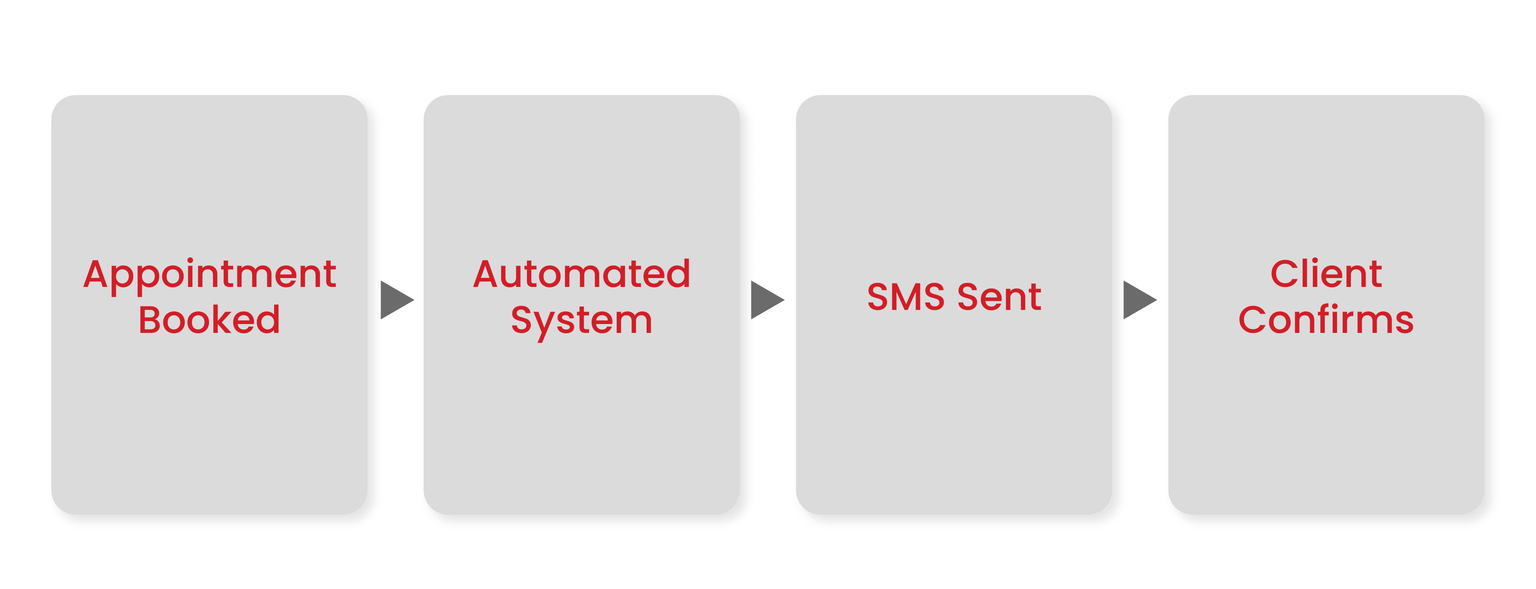
Someone books an appointment through your scheduling system. Your automation tool detects this new appointment and pulls the relevant details: client name, appointment time, service type. The system schedules SMS reminders based on your preferences. It could be a confirmation immediately after booking, a reminder 24 hours before, and another reminder 2 hours before.
Each message gets personalized automatically. "Name" becomes "Sarah." "Date & Time" becomes "Tuesday at 2:30 PM."
Here's an example workflow:
Monday 2 PM: Sarah books a Thursday 3 PM appointment
Monday 2:05 PM: Sarah receives confirmation SMS
Wednesday 3 PM: Sarah receives 24-hour reminder
Thursday 1 PM: Sarah receives same-day reminder
Thursday 3:30 PM: Sarah receives thank-you and feedback request
With Easify, you set this sequence up once using an intuitive visual builder. No coding required. Just straightforward automation that works.
SMS Appointment Reminder Templates
Templates are your best friend here. You don't need to reinvent the wheel. You just need clear, friendly, actionable text, and here are a few options:
Confirmation: "Hi Name, this is Business Name. Your appointment is confirmed for Date & Time. Reply YES to confirm or STOP to opt out of messages."
Reminder: "Hi Name, it’s Business Name. This is a reminder about your appointment tomorrow at Time. Reply RESCHEDULE if you need to make a change, or STOP to opt out of messages."
Follow-up: "Thanks for visiting Business Name, Name. You can share your feedback here: Link. Reply STOP to opt out of messages from us."
The casual phrasing feels friendly, not pushy. You're helping them remember.
With Easify, you set these templates up once, and they automatically fill the right info for each client.
PART 2: SMS Reminders for Loan Payments
Why Loan Payment Reminders Are Important
Late payments aren't just annoying. They're expensive.
For lenders, missed payments create cash flow problems, increase administrative costs, and sometimes lead to defaults that require collections or legal action. For borrowers, late payments mean fees, credit score hits, and stress.
Most people don't miss payments because they're irresponsible. They miss them because they forgot or didn't realize the due date was coming up.
SMS reminders solve both sides of this problem. When borrowers receive timely payment reminders, they're far more likely to pay on time.
The consistency matters too. When you rely on manual reminders, some borrowers get contacted and others don't. Automation ensures everyone gets the same treatment at the same time.How Automated Loan Payment Reminders Work
Instead of monitoring a calendar for appointments, the system monitors your loan management software for payment due dates. It tracks each borrower's payment schedule and automatically sends reminders at predetermined intervals.
Here's a typical sequence:
5 days before: "Heads up" reminder with payment amount and due date
1 day before: "Payment due tomorrow" reminder with payment link
Due date: "Payment due today" reminder
1 day after: "Payment overdue" reminder
Payment received: Confirmation and thank-you message
Each message includes personalized information: the borrower's name, the exact payment amount, the due date, and a direct link to make the payment online.
SMS Templates for Loan Payment Reminders
Payment reminder messages need to be clear, specific, and action-oriented.
Upcoming Due Date: "Hi Name, this is Business Name. Your loan payment of Amount is due on Date. You can pay here: Link. Reply STOP to opt out of messages."
Due Today: "Hi Name, this is Business Name. A reminder that your payment of Amount is due today. Make a secure payment here: Link. Reply STOP to opt out of messages."
Overdue: "Hi Name, this is Business Name. Your payment of Amount is now past due. Please make your payment here: Link. Reply STOP to opt out of messages."
Payment Confirmation: "Hi Name, this is Business Name. We've received your payment of Amount on Date. Reply STOP to opt out of messages."
The confirmation message does double duty: it acknowledges the payment and reminds the borrower of the next due date.
With Easify, you can test different message variations to see what gets the best response rates.
Benefits of Automated SMS Reminders
Let's recap the tangible benefits you get from implementing automated SMS reminders:
Fewer missed appointments and late payments. When people receive timely reminders, they pay. Your revenue becomes more predictable and your cash flow improves.
Better customer relationships and trust. Your customers appreciate reminders. They don't want to miss appointments or make late payments. You're helping them, and that builds goodwill.
Reduced manual workload for teams. Your staff stops spending hours on reminder calls and emails. They can focus on customer service, sales, or whatever actually moves the needle.
Consistent communication across multiple touchpoints. Every customer gets the same level of service. No one falls through the cracks.
The ROI on SMS automation is typically immediate and obvious. Most businesses see payback within the first month.
Best Practices for Effective SMS Reminders
Here are best practices that separate okay results from great results:
Personalize every message. Use the recipient's name. Include specific details like appointment times or payment amounts. Generic mass messages feel like spam.
Send reminders at optimal times. Don't text someone at 6 AM or 10 PM. Generally, business hours work best. For appointment reminders, 24 hours before is the sweet spot.
Keep messages short and actionable. State the key information clearly and tell the recipient what action to take. "Your appointment is tomorrow at 2 PM. Reply YES to confirm." Done.
Stay compliant with opt-in/opt-out regulations. Every automated SMS campaign needs to respect opt-in consent and provide clear opt-out instructions. Include language like "Reply STOP to unsubscribe."
Easify includes built-in compliance features and SMS analytics so you can follow best practices without becoming an SMS marketing expert.
IMAGE SUGGESTION: Checklist graphic showing SMS best practices with checkmarks
Choosing the Right SMS Automation Platform
Here's what you need when choosing the best SMS automation platform:
Scheduling & automation: Set up complex trigger sequences without coding.
Two-way messaging: Customers should be able to reply to reminders.
CRM integration: The tool needs to connect seamlessly with the software you already use.
Analytics and reporting: You need visibility into delivery rates, response rates, and conversion rates.
This is exactly why businesses trust Easify for automated messaging. The platform checks all these boxes without the complexity and cost of enterprise solutions. You get powerful automation with a user-friendly interface.
Easify is built specifically for businesses that want results without technical headaches. You shouldn't need to hire a consultant just to send appointment reminders.
Common Mistakes to Avoid
Even with automation, there are ways to mess things up.
Sending too many reminders. Find the right balance: usually two to three messages max.
Texting at odd hours. Stick to reasonable hours, preferably working hours.
Forgetting opt-out instructions. Always include clear unsubscribe language.
Not tracking results or optimizing message timing. If you're not measuring delivery rates and outcomes, you have no idea whether your reminders are working.
Measuring Success
How do you know if your automated reminders are actually working? Track these metrics:
Open rate: With SMS, this should be above 90%.
Click-through rate: If your messages include links, track how many recipients actually click.
Payment completion rate: Track how many payments are made on time after reminders go out.
Reduced no-shows: Compare your no-show rate before and after implementing automated reminders.
Use these metrics to continuously improve your reminder strategy. Maybe three-day advance reminders work better than one-day. Let the data guide your decisions.
Easify's analytics dashboard makes this easy. You get real-time visibility into all these metrics.
Conclusion
The businesses that thrive are the ones that reduce friction for their customers. Automated reminders do exactly that. They help your customers show up on time, pay on time, and feel supported throughout their relationship with your business.
This isn't about replacing human connection. It's about using automation to handle the repetitive, predictable communication so your team can focus on the interactions that actually require a human touch.
Start automating your SMS reminders today with Easify!
Don’t let renewals slip through the cracks. Try Easify free for 7 days and start turning reminders into results today.
Follow us on Instagram, LinkedIn, Facebook, and YouTube for more SMS marketing tips.
SMS marketing for real estate is still a great choice in 2026! Agents can use text marketing to promote new listings, attract buyers, and quickly engage with clients.
Text messaging for credit repair companies improves client engagement, builds trust, automates updates, and increases retention through fast, compliant SMS communication.
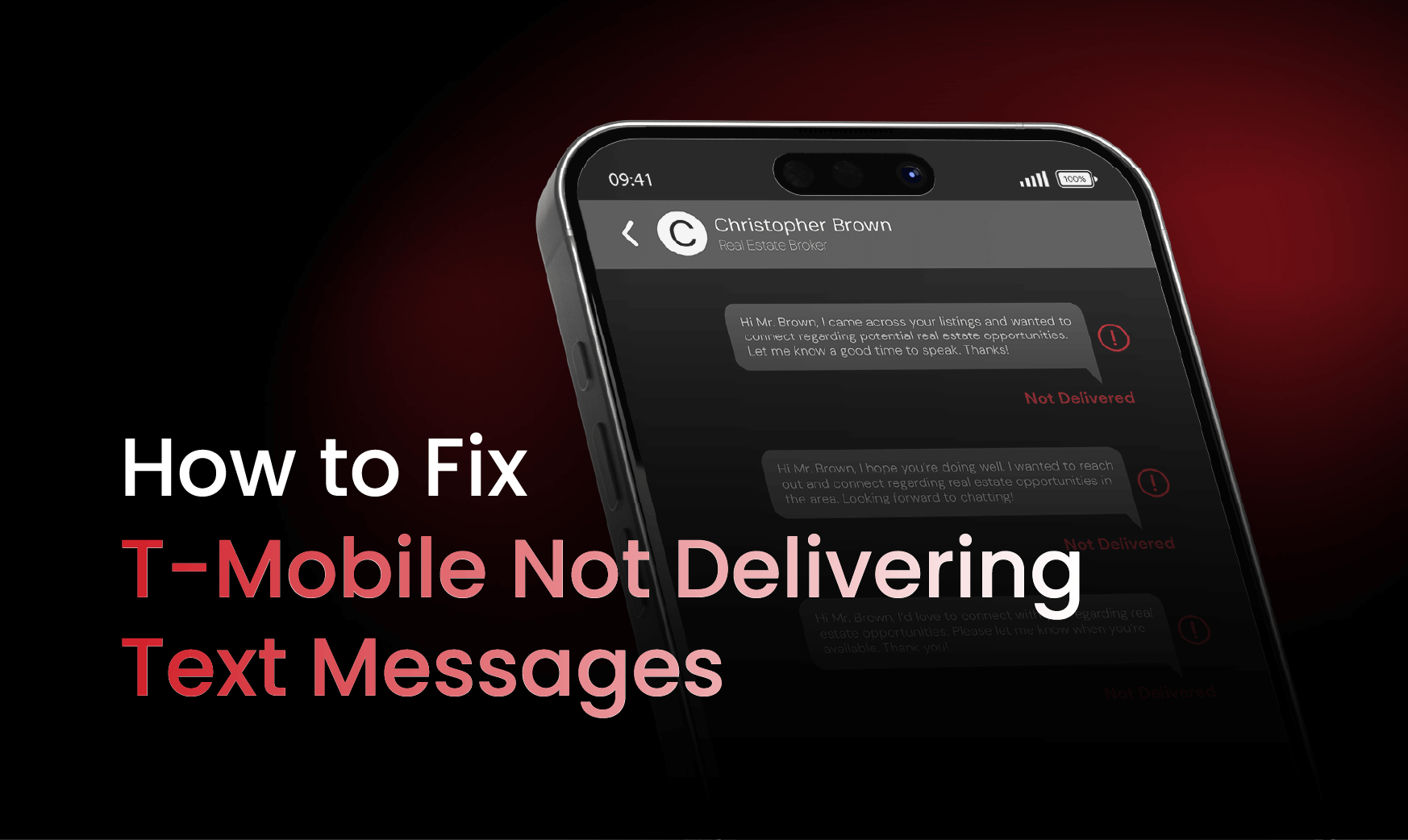
Learn how phone carrier filtering and reducing T-Mobile numbers can fix SMS delivery issues, improve deliverability, and prevent carrier-level blocking.